“Fieldwork planning” is the overview of the crop year’s fieldwork plans. A fieldwork plan links a worktype (for example plant protection or sowing) to the fields where that work is done in the crop year; from the plan you can add the fields to the calendar as tasks and follow how much of the plan has been done.
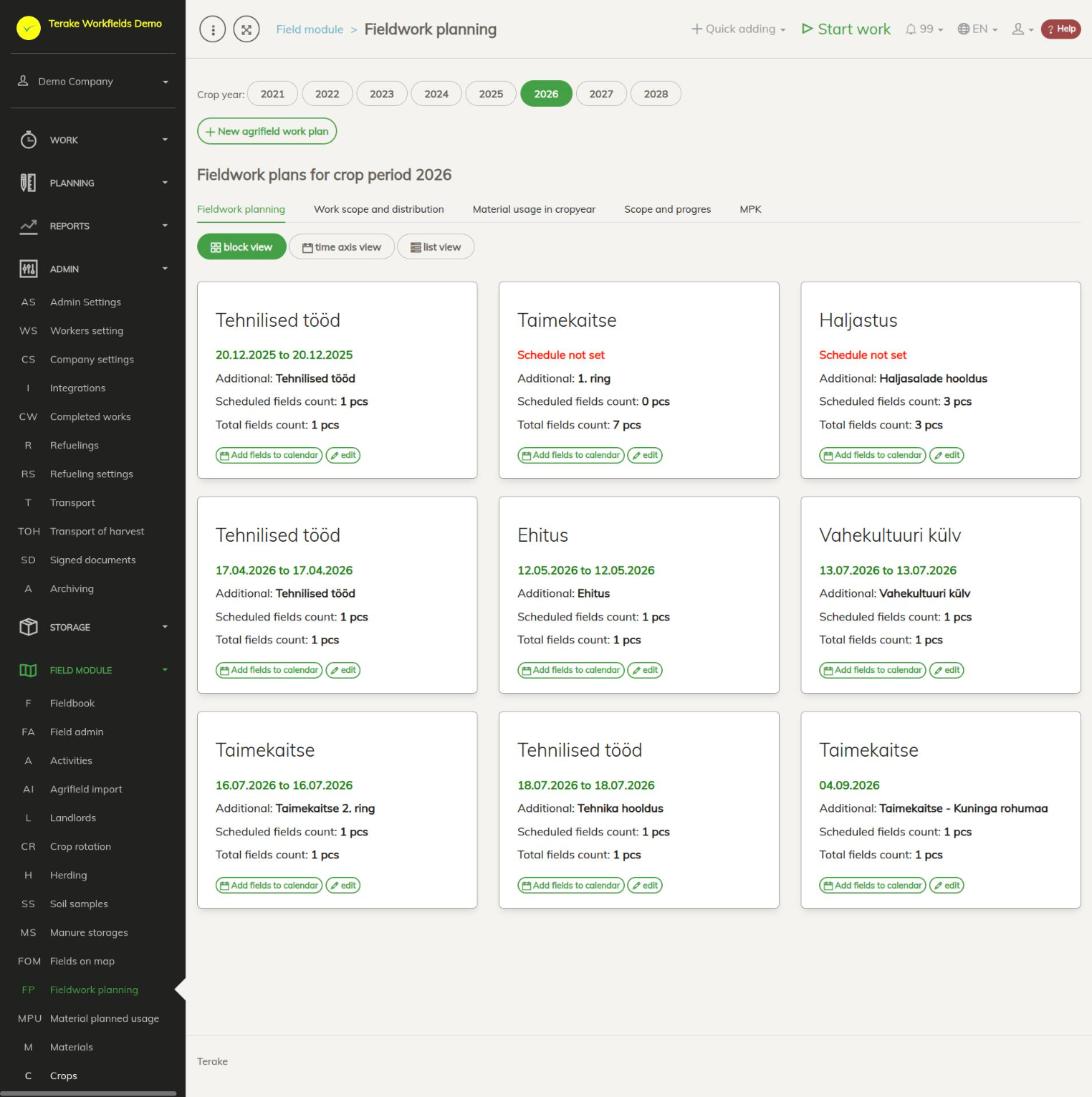
Page layout
Select the crop year at the top. The “New agrifield work plan” button creates a plan. Tabs:
- “Fieldwork planning”: the plans in three views. “block view” shows each plan as a card (worktype, time or “Schedule not set”, “Additional”, “Scheduled fields count”, “Total fields count”). “time axis view” shows the plans by week, “list view” as a table.
- “Work scope and distribution”: field hectares and plans by crop, applicant or customer (“by crop”, “by applicant”, “by customer”) and “Work capacity division (hectares)”.
- “Material usage in cropyear”: the quantities of materials added to the plans; “Show details” splits them by crop.
- “Scope and progress”: for each worktype “Planned”, “Done from plan”, “Done outside of plan” and “Planned capacity fulfilled (% of ha)”. In the “scope administration” view you enter the work capacity in hectares (“Capacity (ha)”) and see how much of it has been added to plans.
- “MPK” opens the Planned material usage page.
How to make a fieldwork plan
- Select the crop year and press “New agrifield work plan”.
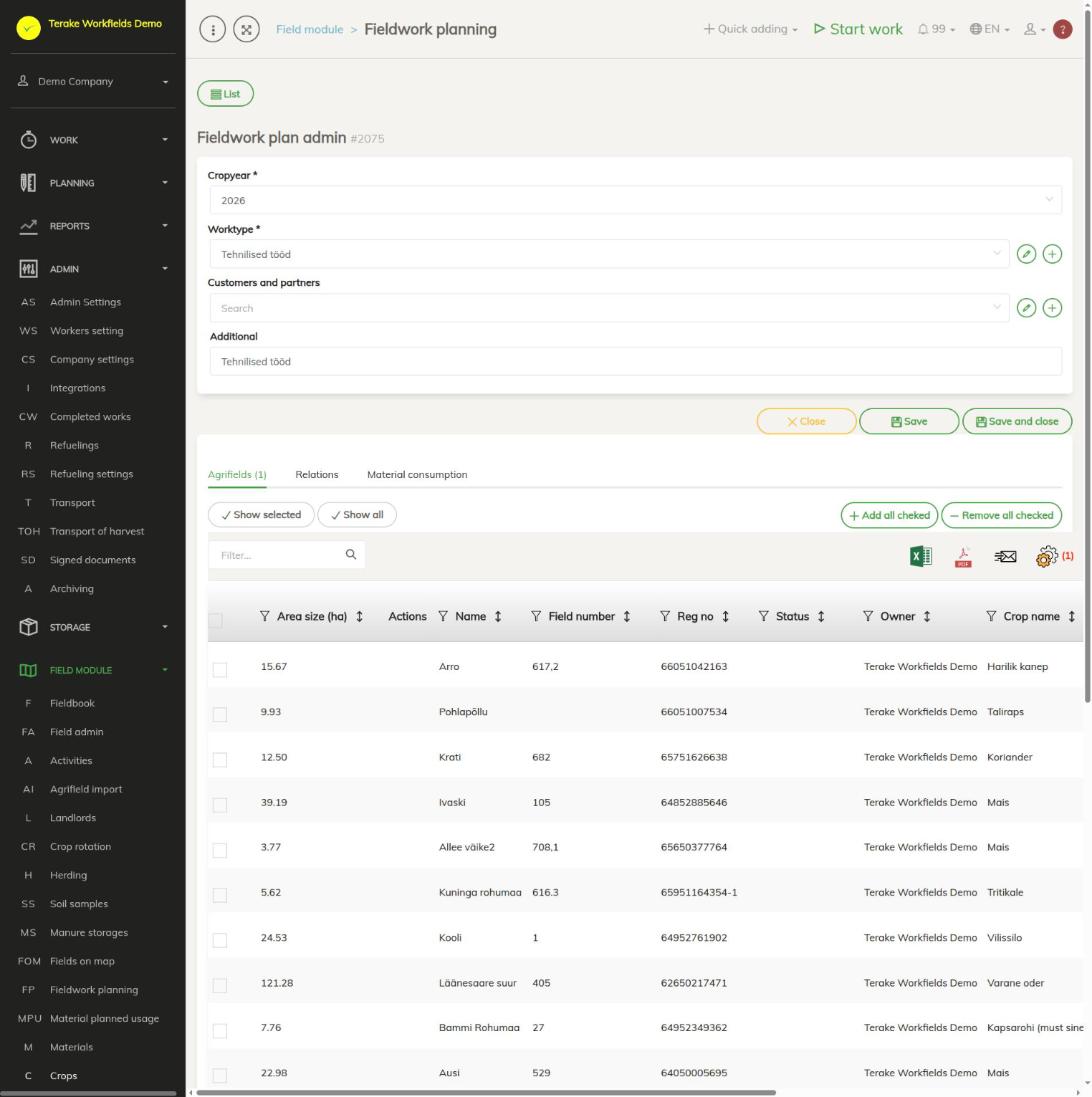
- Select “Worktype”, if needed a customer and “Additional”, and save.
- On the “Relations” tab, select the crops, PRIA applicants and regions whose fields belong to the plan, and press “Save relations”. PRIA is the Estonian Agricultural Registers and Information Board (shown as ARIB in the English interface). The choices are the crops and applicants assigned to some field in this crop year.
- On the “Agrifields” tab, tick the fields and press “Add all checked” (or “Remove all checked”). “Show selected” and “Show all” switch which fields the table shows.
- On the “Material consumption” tab, add the materials the plan’s work uses, with their application rate.
You can also create a plan on the Field admin page: tick the fields, select the crop year and press “New agrifield work plan”.
How to move a plan to the calendar
- In block view, press “Add fields to calendar” on the plan’s card. The calendar of the Tasks page opens, where you can divide the plan’s fields between days and workers as tasks.
- You can set the plan’s overall time under “time axis view”: select the plans (green is selected, red is not) and press the tick button in the week’s column. “Clear date from selected” removes the time from the selected plans.
Who can see and change it
The page is visible to “Administrator”, “Observer” and “Agronomist”. “Administrator”, “Agronomist” and “Stock management” can create and change plans (“New agrifield work plan”, “edit”, “Add fields to calendar”); only “Administrator” and “Agronomist” can open the plan edit page.
API calls on this page
For integrations and AI assistants: this page uses the following Terake API calls. The full description is in the API reference.
When the page opens:
GET /api/agrifieldworks3-cropperiods– Crop periods that have planned field jobsGET /api/agrifieldworks3-weeks/{crop_period_id}– The weeks of one crop periodGET /api/agrifieldworks3-bycropperiod/{crop_period_id}– Agrifields of one crop period grouped by the field job planned on themGET /api/agrifieldworks/distribution/{crop_period_id}– How a crop period's planned jobs are distributed across its fields
Other calls from this screen’s dialogs and actions:
DELETE /api/agrifieldworkcapacities/{id}– Delete planning targetGET /api/agrifieldworkcapacities/fulfillment/{crop_period_id}– Planning target fulfilmentGET /api/agrifieldworkcapacities/{id}– Planning targetGET /api/agrifieldworkcapacities– Planning targetsGET /api/agrifieldworkcapacities/perioddata/{crop_period_id}– Planning targets of a crop periodPOST /api/agrifieldworkcapacities/perioddata/{crop_period_id}– Save a planning targetPOST /api/agrifieldworkcapacities– Create planning targetPUT /api/workdone/approve/{id}– Approves the WorkdonePUT /api/agrifieldworkcapacities/{id}– Update planning targetPUT /api/agrifieldworks3-settoweek– Moves the selected planned field jobs to another week of the crop period