Here are the messages Terake has sent you, for example about changes to your work schedule or tasks, machine faults and maintenance. The page is in the menu under your name (“Messages”).
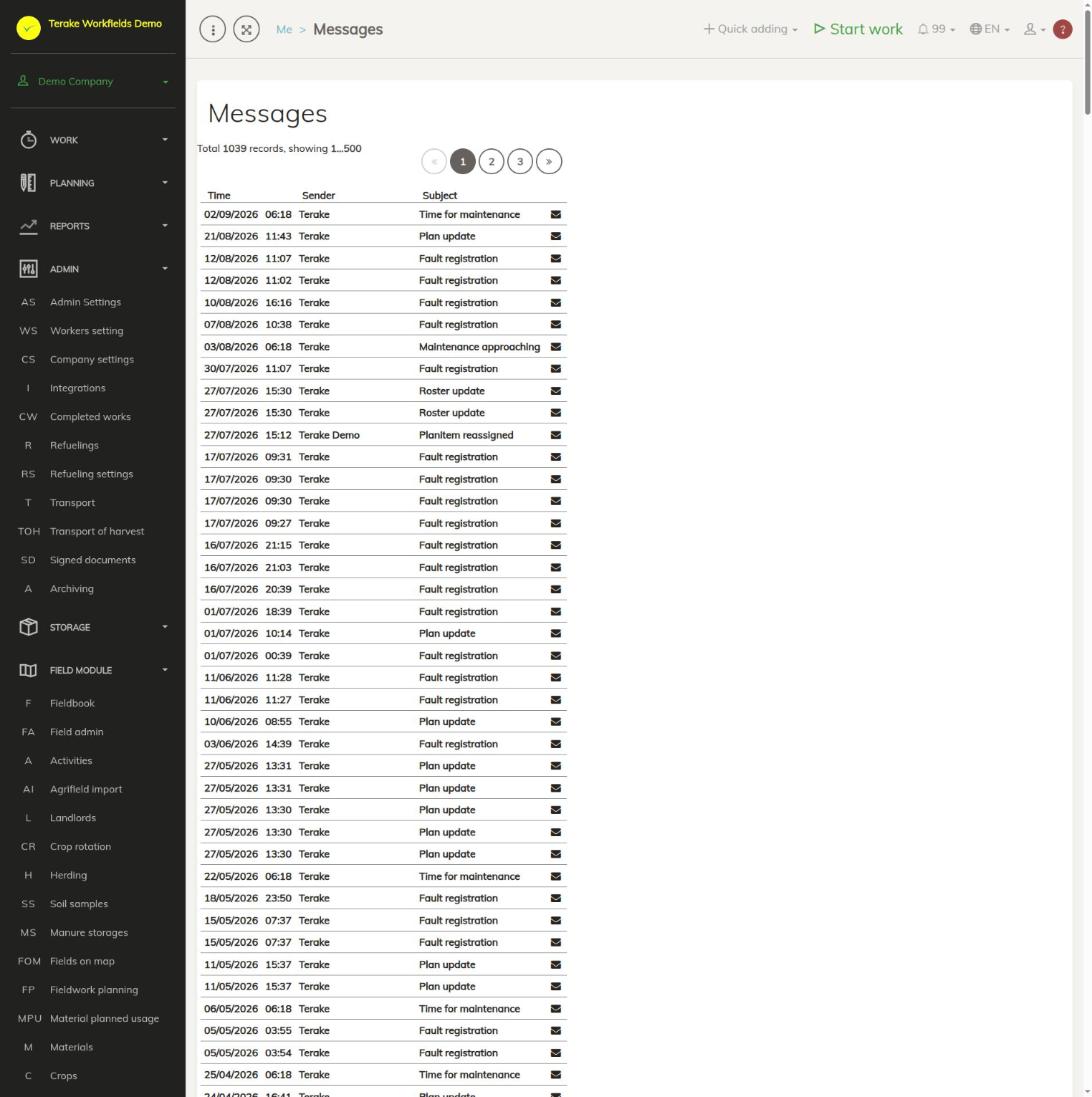
Page layout
- List of messages (left): the newest messages come first. The columns are “Time” (date and time), “Sender” (the worker whose action created the message, or the system) and “Subject” (the kind of message). The envelope at the end of the row shows whether the message has been read: a closed envelope and a bold row mean an unread message, an open envelope a read one.
- Changing pages (above the list): the text “Total … records, showing …” shows how many messages you have and which of them are visible. One page holds up to 500 messages; use the number buttons to move to the next pages.
- Message content (right): the subject, sender and sending time of the opened message, and the message text.
If you have no messages, you see the text “You don’t have messages”.
How to read a message
- Open “Messages” in the menu under your name, or press the bell icon in the top menu bar.
- Click the message row in the list. The message content opens on the right.
- The message is marked as read: the envelope opens and the number of new messages goes down.
New message notification
- When you have unread messages, the top menu bar shows the bell icon with the number of unread messages (99 at most). Pressing the bell opens the list of unread messages; clicking a message opens it on the “Messages” page.
- The number of unread messages is also in the browser tab title, for example “(3) Terake”, and the tab icon changes.
- New messages are checked automatically about every 10 minutes. If you are expecting a message right away, reload the page.
Kinds of messages
The “Subject” column shows the kind of message. The most common are:
- “Roster update”, “Work schedule reassigned”, “Work schedule assigned”: changes to your work schedule, see My calendar.
- “Plan update”, “Task reassigned”: changes to work planned for you.
- “Fault registration”: a fault has been registered for a machine, see Faults and problems.
- “Maintenance approaching”, “Time for maintenance”: a machine’s maintenance is due, see Service works.
- “TÜV end date”, “Mandatory vehicle insurance (MTPL) end date”, “Voluntary vehicle insurance (Casco) end date”, “Road tax end date”, “Warranty end date”: a machine’s document or insurance is about to expire.
- “Lifespan warning”: a machine part has reached its lifespan warning limit.
- “Terake.com username creation”: the message about the creation of your user account.
- “Notification”: any other message.
Who can see and change it
- Each user sees only the messages sent to them.
- Messages cannot be deleted or changed on this page; you can only open a message and so mark it as read.
- Users with the “ARIB employee” role do not have this page in the menu.
Tips
- If you have many messages, look at the unread ones in the bell icon’s list: it contains only unread messages.
- Some messages are also sent to your e-mail address.
- A message text may be wide (for example a table); then you can scroll the text sideways.
API calls on this page
For integrations and AI assistants: this page uses the following Terake API calls. The full description is in the API reference.
When the page opens:
GET /api/notifications/{current_page}– Notifications for the calling worker, paged
Other calls from this screen’s dialogs and actions (from the web client’s code):
GET /api/notifications– Notifications for the calling worker, pagedGET /api/notifications/new– Unread notifications for the calling worker, newest first, capped at 99POST /api/notification-read/{id}– Marks a notification as read