On the “Worktypes” page you manage the names of work that workers select when registering work and managers when planning. For each worktype you can set the hourly rate, whether the work counts towards worktime and fuel consumption, and which workobjects, divisions, machine types and materials go with this work. The page is used by the administrator. The list, loading from a file, archiving and “Bulk edit parameters” are described in general on the Admin Settings page.
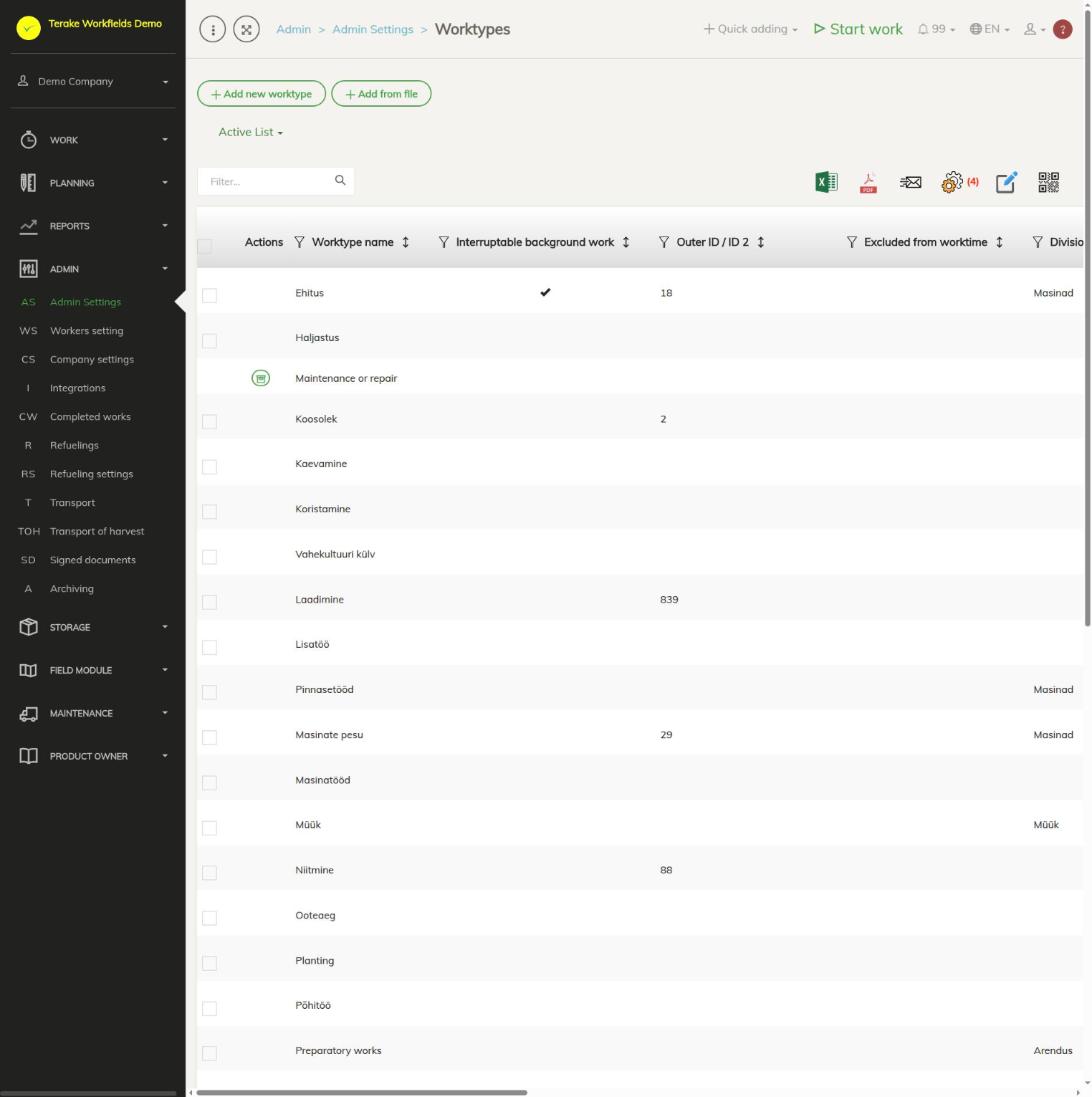
Page layout
- The “Add new worktype” and “Add from file” buttons and the “Active list” / “Archived list” drop-down. Active worktypes are in the options, archived ones are not.
- The table has the worktype name and its properties: “Hourly rate”, “Hourly fuel consum.”, “Outer ID / ID 2”, “Excluded from worktime”, “Excluded from fuel consumption”, “Interruptable background work”, “Find work object using telemetry”, “Main work name” and others.
- With “Bulk edit parameters” you can change the hourly rate and several checkboxes at once (e.g. “Excluded from worktime”, “Interruptable background work”), and archive or delete.
- The common Terake worktypes are also in the list. You cannot change them, but with the “Archive” button at the start of the row you can hide them from your company’s options.
How to add or change a worktype
- Press “Add new worktype” or click the row of an existing work.
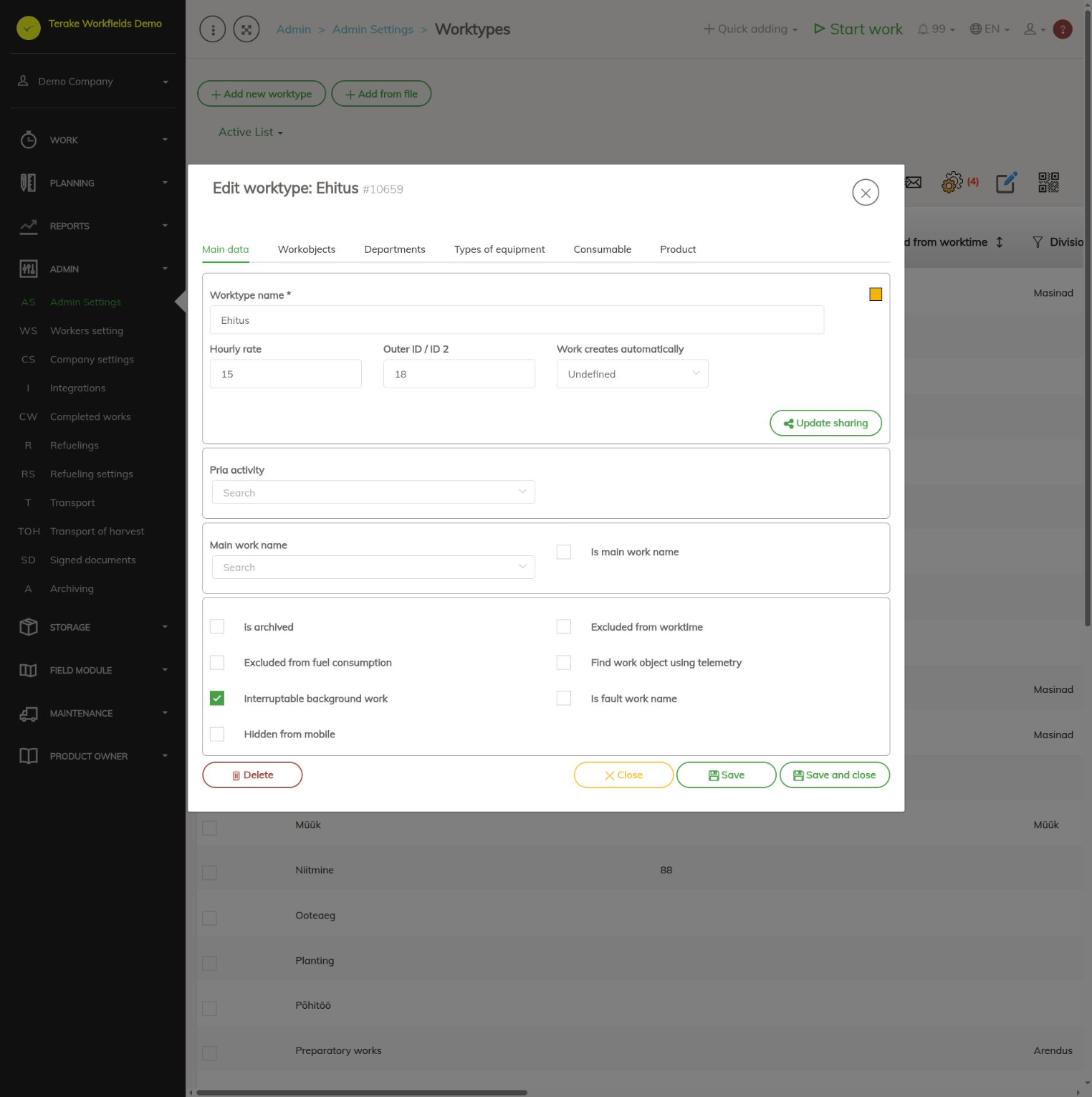
- On the “Main data” tab, enter the “Worktype name” and, if needed, the “Hourly rate” and “Outer ID / ID 2” (e.g. the accounting code).
- Tick the properties you need (see below).
- Press “Save” or “Save and close”.
- To add relations, open the saved work again and choose a tab (see “Relations”).
Worktype properties
- Work creates automatically: “Facility service work”: when the work is finished, a maintenance is registered for the machine; “Facility fault (resolved)” and “Workobject fault (resolved)”: when the work is finished, a resolved fault is registered. “Undefined” creates nothing.
- Pria activity (for agricultural companies): the ARIB (PRIA) activity the work corresponds to.
- Main work name and Is main work name: for grouping work. Tick “Is main work name” on the general work and select it in the “Main work name” field of the other work.
- is archived: the work is no longer in the options but stays with earlier work.
- Excluded from worktime: the time of this work is not counted as worktime in reports and the worktime table.
- Excluded from fuel consumption: this work is left out when the machine’s fuel consumption is split between work. When the checkbox changes, the fuel consumption of work done since the start of the previous month is recalculated.
- Find work object using telemetry: the work’s workobject is found from the work’s location data based on the coordinates and areas of the workobjects.
- Interruptable background work: if the worker starts other work during background work, the background work is interrupted for that time so that the time is not counted twice.
- Is fault work name: the work is meant for repairing faults.
- Hidden from mobile: the work is not shown in the mobile app’s options.
- Update sharing: sharing the worktype with partners.
Relations
On the “Workobjects”, “Departments”, “Types of equipment”, “Consumable” and “Product” tabs you can tick what goes with this work and press “Save”. Linked options are shown first when planning and registering work, so the right workobject, machine or material is found faster. The tabs can be used after the worktype is first saved.
Who can see and change it
The page opens for the “Administrator” role.
Tips
- When loading from a file, only the “Worktype name” is mandatory; you can also load “Hourly rate”, “Hourly fuel consum.”, “Outer ID / ID 2”, “Excluded from worktime” and “Interruptable background work”.
- If the worktype has already been used in work, archive it instead of deleting it.
- The cost center can be set for work automatically by worktype, see Cost center rules.
API calls on this page
For integrations and AI assistants: this page uses the following Terake API calls. The full description is in the API reference.
When the page opens:
GET /api/worktypes– Worktype collection
Adding, changing and deleting (from the API description):
DELETE /api/worktypes/{id}– Delete WorktypePOST /api/worktypes/{id}/savehourlyraterate– Save Worktype hourly ratePOST /api/worktypes– Create WorktypePUT /api/worktypes/{id}– Modify WorktypePUT /api/worktypes/{id}/togglearchive– Toggle Worktype archive
Other calls from this screen’s dialogs and actions (from the web client’s code):
GET /api/worktypes/{id}– Get Worktype