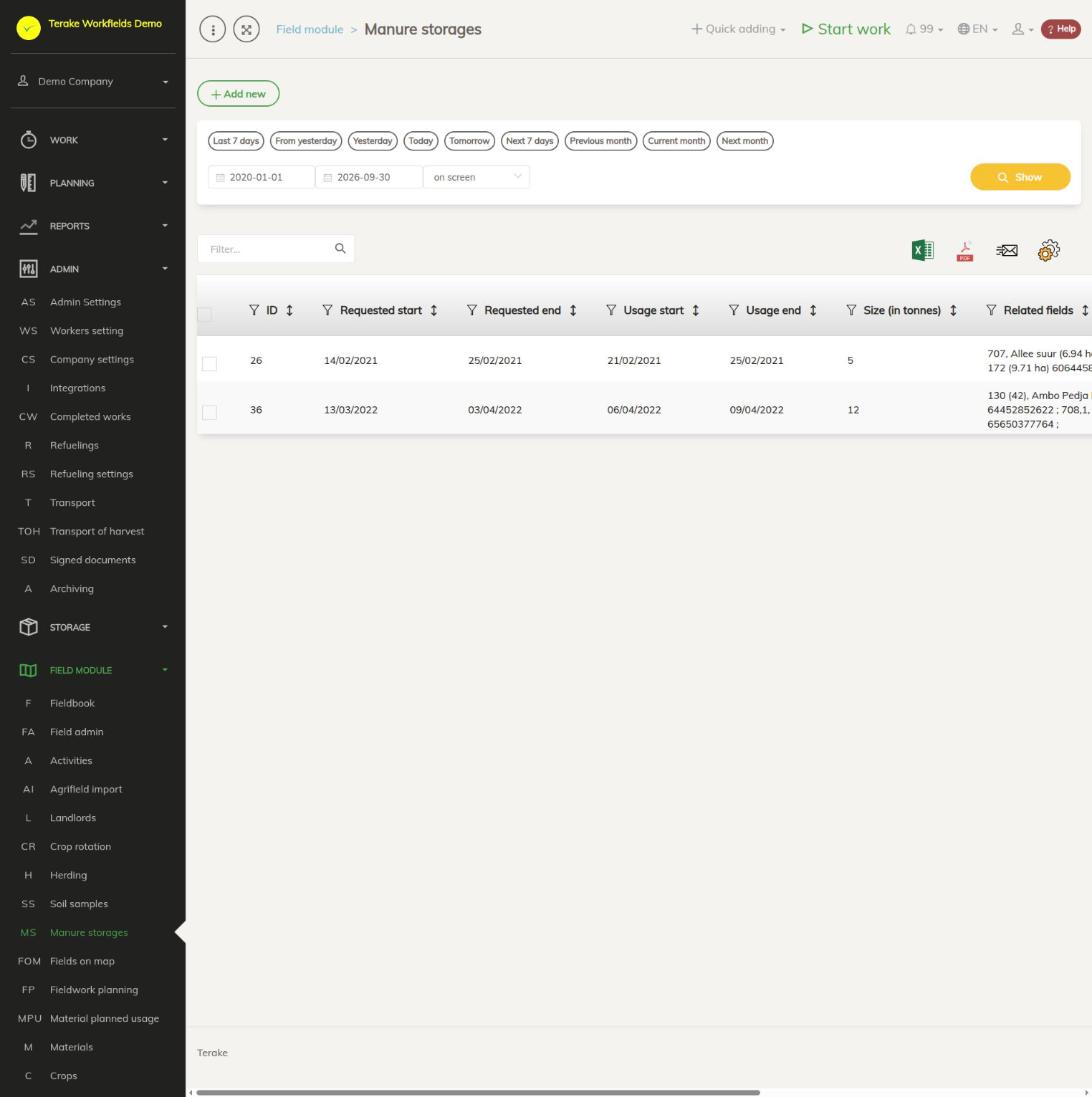
“Manure storages” is the register of manure heaps (field stores). For each heap you record the applied-for and actual period of use, the size of the heap, its location and the fields the heap is linked to.
Page layout
- “Add new” opens the form for a new manure heap.
- Table columns: “ID”, “Requested start”, “Requested end”, “Usage start”, “Usage end”, “Size (in tonnes)”, “Related fields”, “Address”, “Latitude”, “Longitude” and “Location in map”, which shows the heap’s location on the map.
- You can hide columns with the cogwheel and download the table as an Excel or PDF file.
How to add a manure heap
- Press “Add new”.
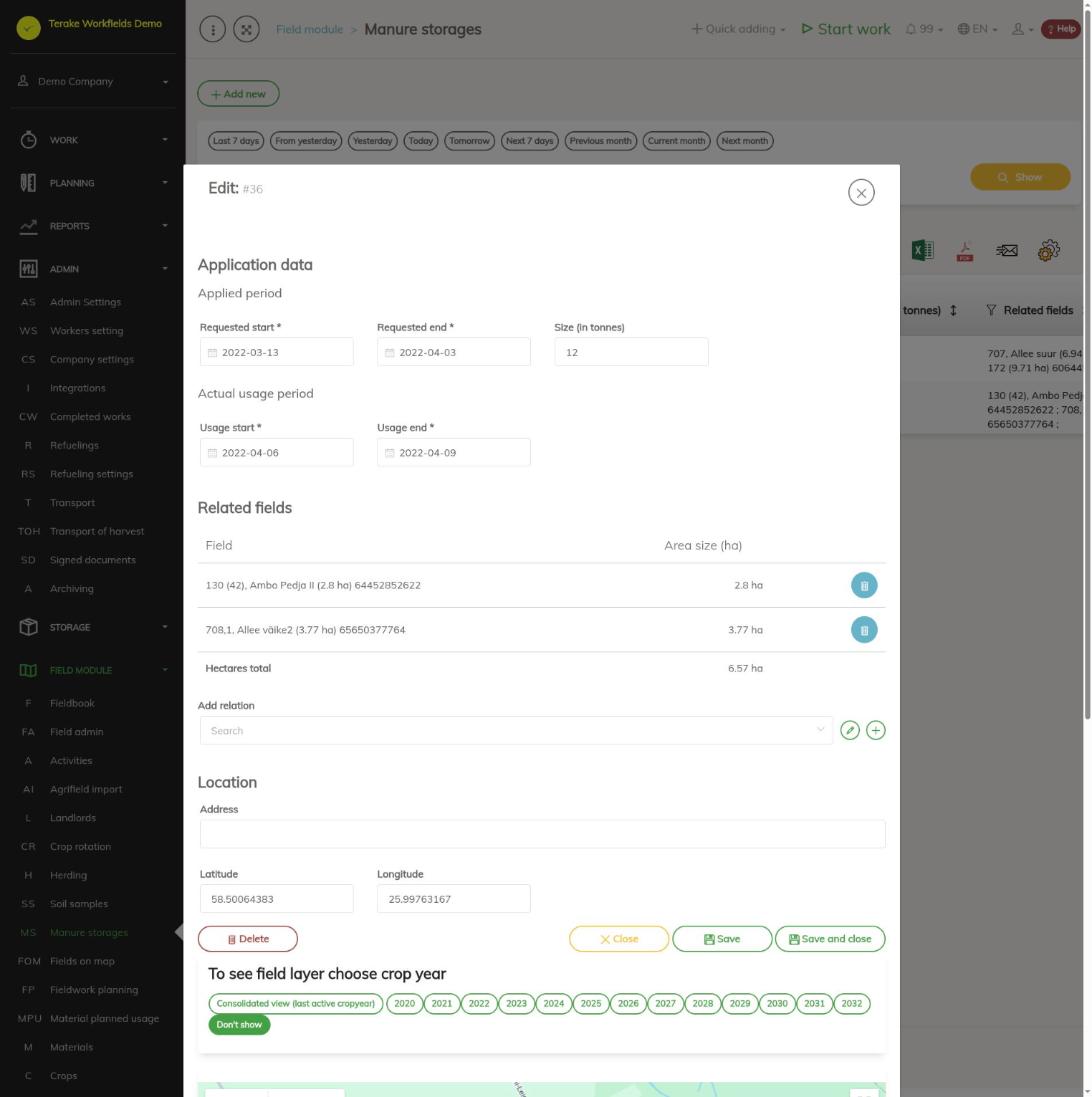
- In the “Application data” block, fill in the “Applied period”: “Requested start” and “Requested end” (required), and “Size (in tonnes)”.
- Fill in the “Actual usage period”: “Usage start” and “Usage end” (required).
- In the “Related fields” block, add the fields: select a field in the “Add relation” field. The field appears in the table with its area, and the end of the table shows “Hectares total”. You can also add a field by clicking it on the map and confirming the addition. The bin button removes a field.
- In the “Location” block, fill in “Address” and “Latitude” and “Longitude”, or click the map at the heap’s location and confirm the change of location. You see the field layer on the map when you select a crop year or “Consolidated view” above the map.
- Press “Save” or “Save and close”.
How to change or delete a manure heap
- Click the heap’s row in the list. The “Edit” form opens.
- Change the data, add or remove related fields and press “Save” or “Save and close”. On saving, the heap stays linked to the fields in the form’s table.
- The “Delete” button deletes the heap.
Who can see and change it
The page is visible to “Administrator”, “Observer” and “Agronomist”. Heaps are added and changed by “Administrator” and by workers whose role has the right to change manure heaps; “Observer” sees the list read-only.
Tips
- You can see a related field’s data and shape on the Field admin page; opening a field on the map also takes you there.
API calls on this page
For integrations and AI assistants: this page uses the following Terake API calls. The full description is in the API reference.
When the page opens:
GET /api/manurestorages– ManureStorage collection
Adding, changing and deleting (from the API description):
DELETE /api/manurestorages/{id}– Delete ManureStorage by ID or UUIDPOST /api/manurestorages– Create new ManureStoragePUT /api/manurestorages/{id}– Modifies ManureStorage
Other calls from this screen’s dialogs and actions:
GET /api/manurestorages/{id}– ManureStorage by ID or UUID