On the “Workobject types” page you manage the classification of workobjects (e.g. address, building, storage, maintenance unit). A type is selected for each workobject, and workobjects can be filtered and grouped by it; in map views the object’s info window also shows its type. The page is used by the administrator. The list, archiving and “Bulk edit parameters” are described in general on the Admin Settings page.
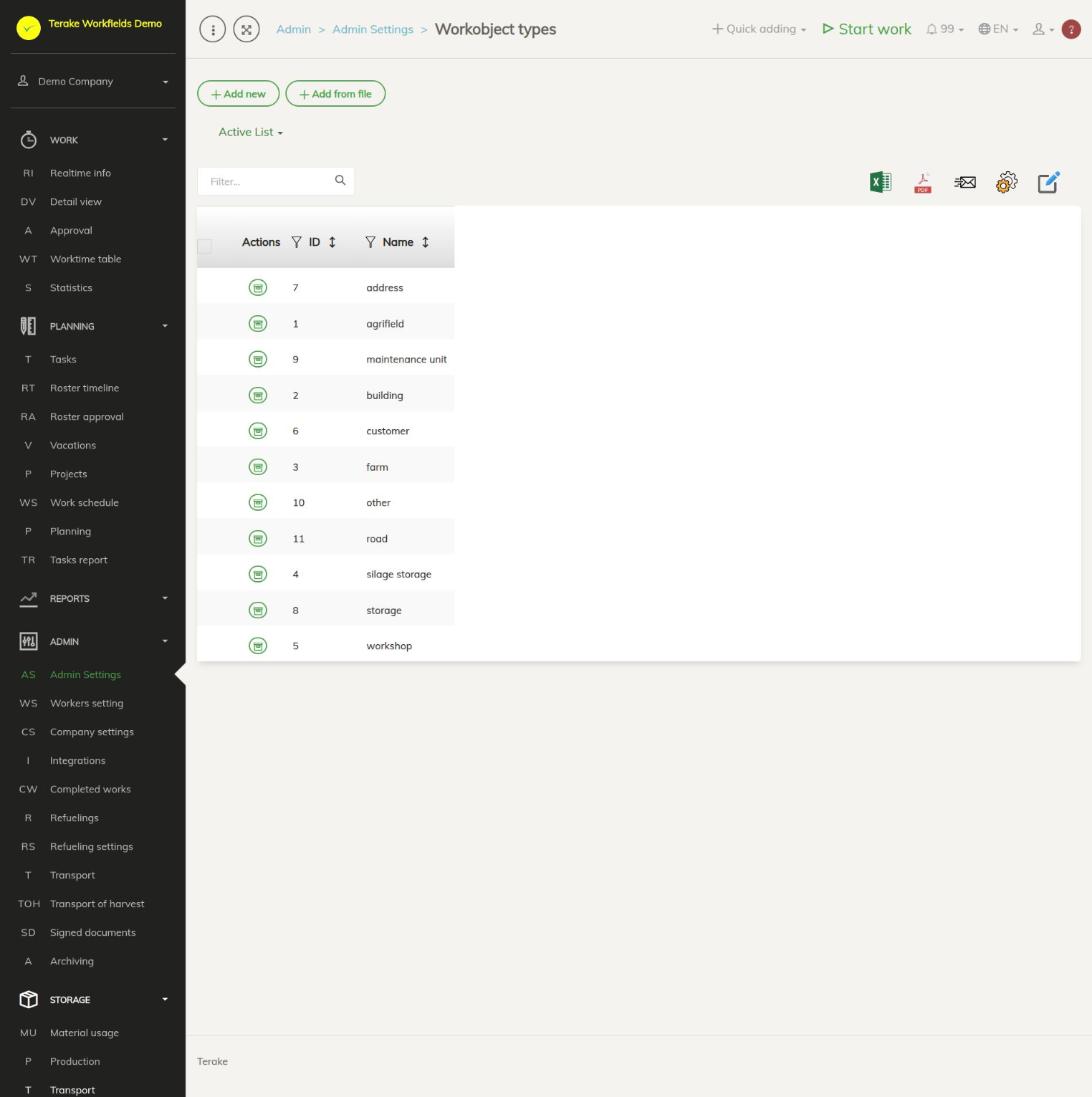
Page layout
- The “Add new” and “Add from file” buttons and the “Active list” / “Archived list” drop-down.
- Table columns: “Actions”, “ID” and “Name”.
- The list contains the common Terake workobject types and the types your company has added. Common types cannot be changed. With the “Archive” button in the “Actions” column you can hide a type from your company’s options; it stays available to other companies.
- Clicking the row of one of your company’s types opens the edit window. Clicking the row of a common type asks “Perform archiving?”.
How to add or change a workobject type
- Press “Add new” or click the row of one of your company’s types.
- Enter the “Name” (mandatory).
- If needed, select the “Inspection checklist for every use”: the inspection form used for workobjects of this type.
- Press “Save” or “Save and close”.
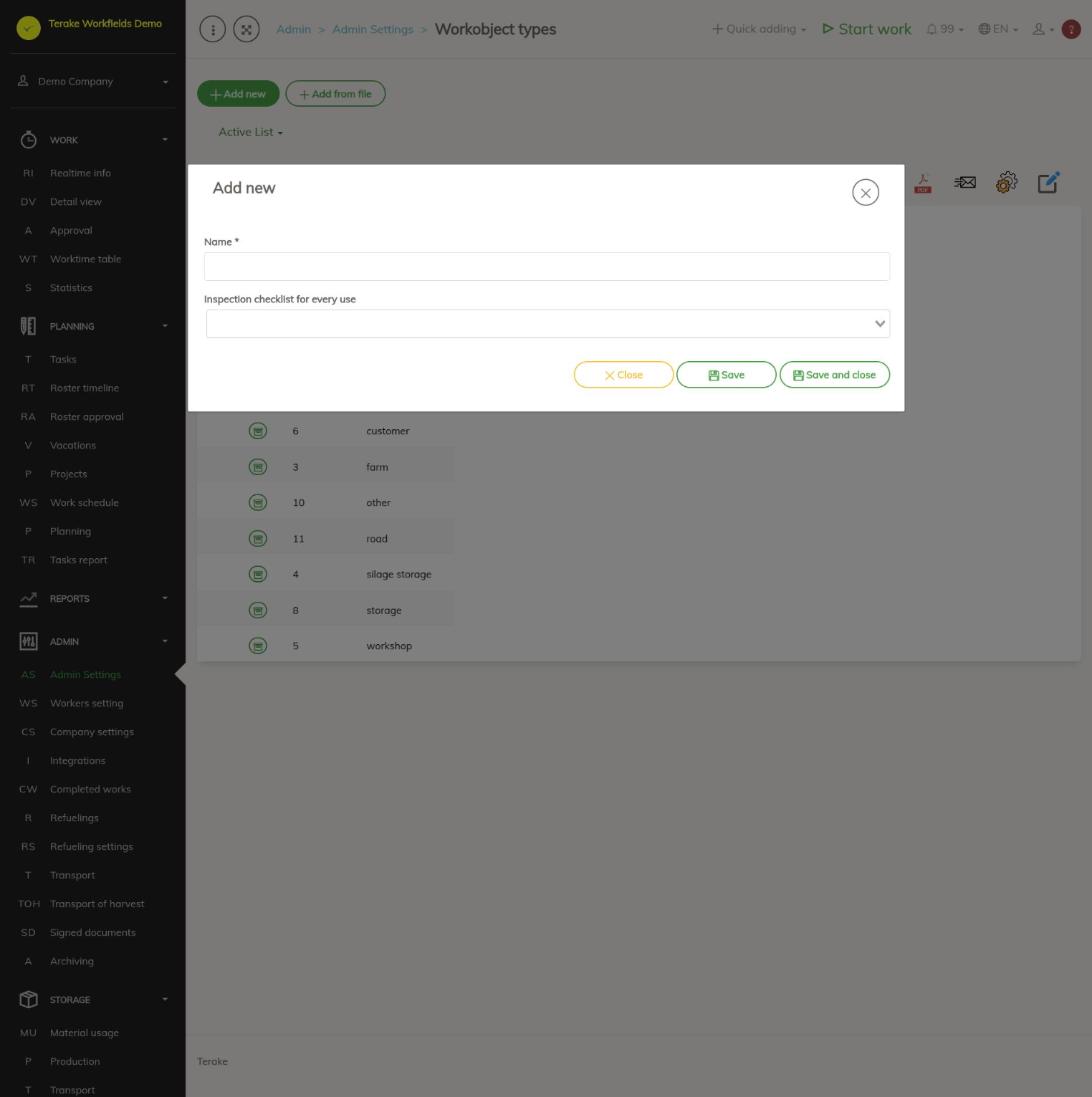
Fields:
- Name: the name of the type shown in the options of the workobject form and in lists.
- Inspection checklist for every use: a choice of the inspection forms created in the maintenance module (see Maintenance module ADMIN (schedules and intervals)).
How to archive or restore a type
- Press the “Archive” button in the “Actions” column of the type’s row and confirm.
- You can see archived types in the “Archived list” drop-down. Clicking a row there asks “Restore from archive?”.
You can archive several types at once, or delete your own types, with “Bulk edit parameters”. Workobjects previously given that type stay.
Who can see and change it
The page is in the Admin menu and opens only for the “Administrator” role, who can add, change and delete the company’s workobject types. No other role gives a separate right to add or change workobject types. If “Users have by default create privilege” is ticked in the company settings, other users, except “Observer” and “ARIB employee”, can also add a new record with the plus button next to the “Workobject type” selection field on forms on other pages and change a record they added within 48 hours of adding it.
Tips
- The workobject type is selected on the workobject form, see Workobjects. On the form of a workobject of the “field” type there is an “Open fieldbook” button.
- Hide the types your company does not use by archiving them, so the choice on the workobject form is shorter.
API calls on this page
For integrations and AI assistants: this page uses the following Terake API calls. The full description is in the API reference.
When the page opens:
Adding, changing and deleting (from the API description):
DELETE /api/workobjectcategories/{id}POST /api/workobjectcategoriesPUT /api/workobjectcategories/{id}/togglearchivePUT /api/workobjectcategories/{id}
Other calls from this screen’s dialogs and actions (from the web client’s code):