The “Routes” page keeps the list of routes of the transport module. A route is a regular journey that is used on journey form rows of the type “Regular trip”. The route length gives the mileage of such a row.
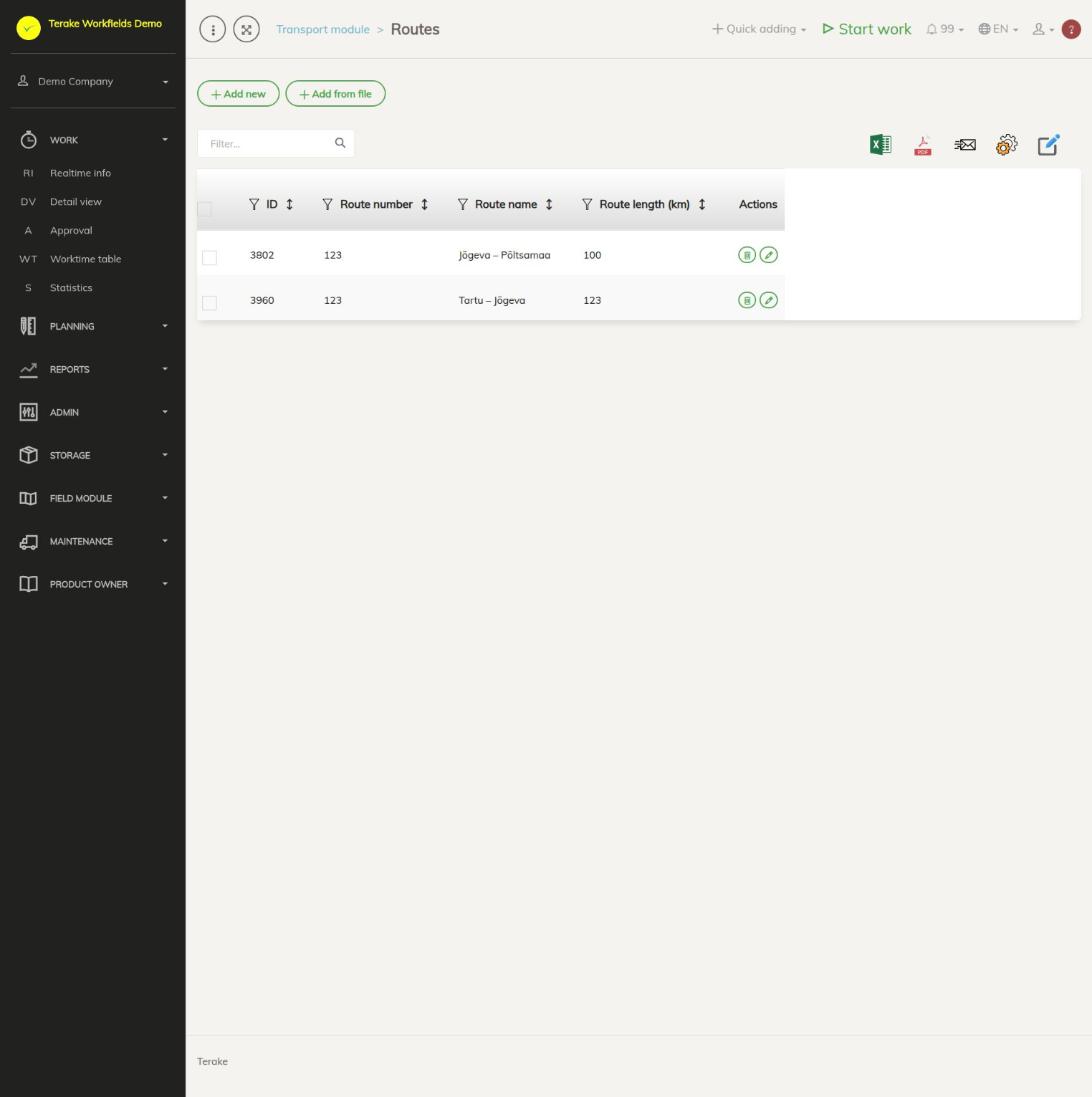
Page layout
- Buttons “Add new” and “Add from file”.
- Table columns: “ID”, “Route number”, “Route name”, “Route length (km)” and “Actions”.
- The “Actions” column has a pencil button (edit) and a bin button (delete).
- Above the table are the search field “Filter…”, the Excel and PDF icons and “set view”. The list shows all of the company’s routes; there is no period selection.
How to add a route
- Press “Add new”.
- Enter the fields:
- Route number: the route’s code, for example the timetable number.
- Route name (required): the name you select the route by on a journey form.
- Route length (km): the length of one trip in kilometres.
- Press “Save” or “Save and close”.
In the route choice of a journey form the route is shown as “number name”.
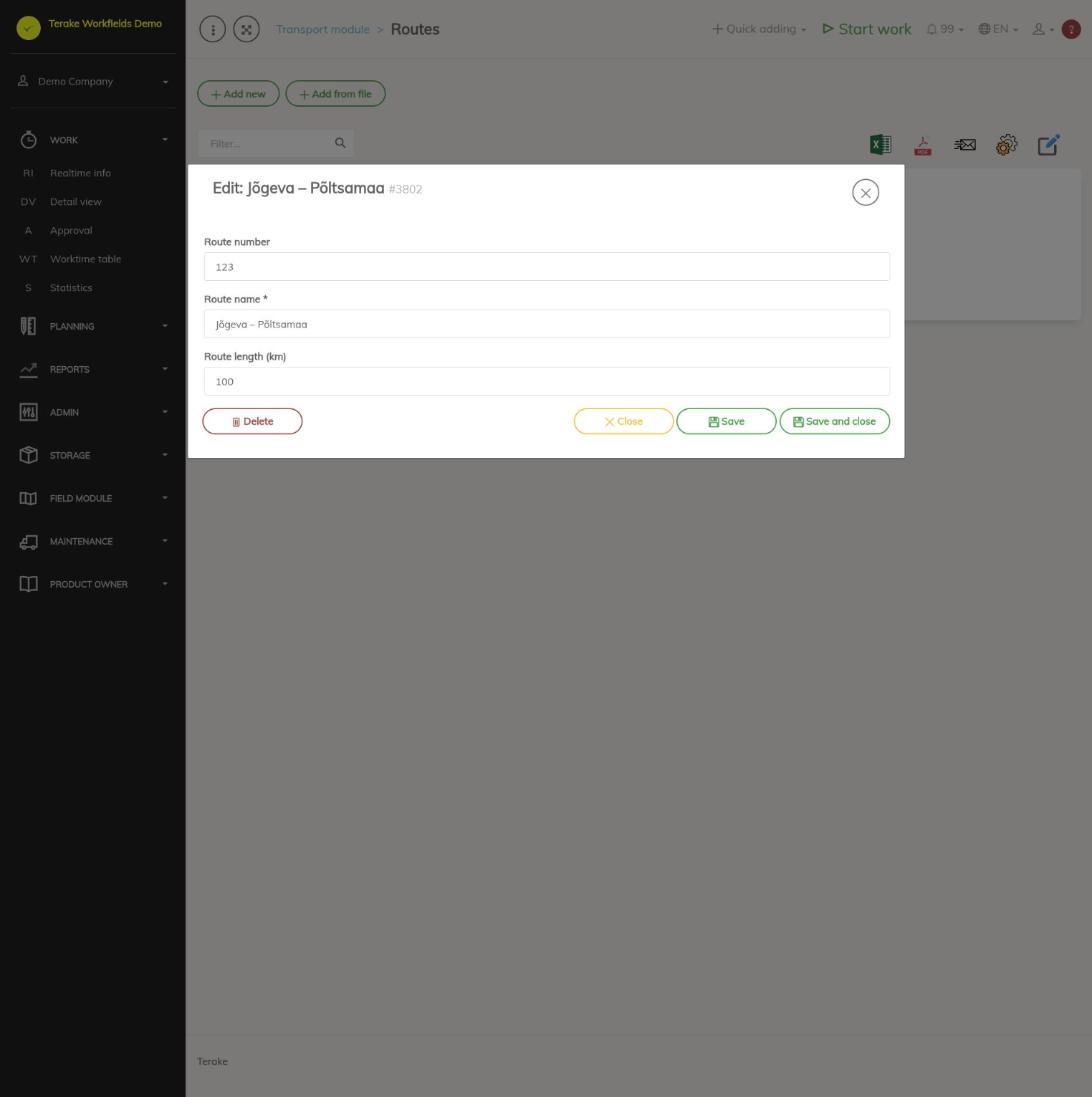
How to change or delete a route
- Press the row’s pencil button. The window “Edit” opens.
- Correct the fields and press “Save and close”, or press “Delete” to delete the route.
You can also delete a route with the bin button in the list. A deleted route disappears from the route choices; journey form rows that already have this route remain.
How to add routes from a file
With the button “Add from file” you can load several routes at once. Only the “Route name” (required) is read from the file; add the route number and length later in each route’s window. Loading from a file is described in general on the page Admin Settings.
Who can see and change it
The transport module is shown to a passenger transport company, and there only to the role “Administrator”, who can add, change and delete routes.
Tips
- The route length is copied to the journey form row when the route is selected and added to the journey form’s “Planned mileage”. A length changed later does not change rows already added.
- For how routes are used, read the page Journey forms; for the module, the page Transport module.
API calls on this page
For integrations and AI assistants: this page uses the following Terake API calls. The full description is in the API reference.
When the page opens:
GET /api/trip_routes– TripRoute collection
Adding, changing and deleting (from the API description):
DELETE /api/trip_routes/{id}– Delete TripRoutePOST /api/trip_routes– Create TripRoutePUT /api/trip_routes/{id}– Modify TripRoute
Other calls from this screen’s dialogs and actions (from the web client’s code):
GET /api/trip_routes/{id}– Get TripRoute