The “Charter jobs” page keeps the list of charter jobs: ordered trips with an agreed time, origin and destination. A charter job can later be added to a journey form row of the type “Charter trip”, so that you can see which driver and vehicle made the trip.
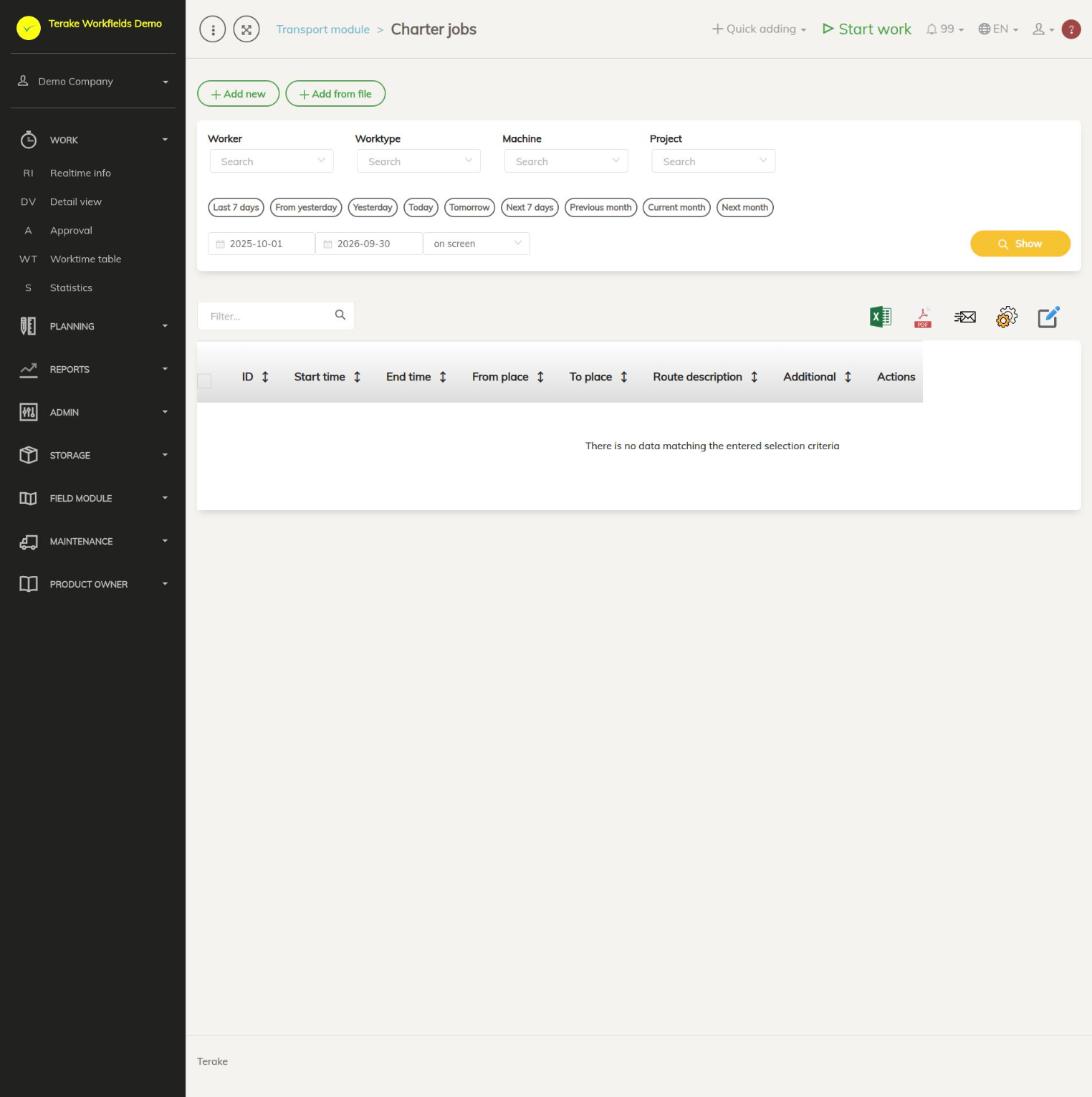
Page layout
- The button “Add new” and the period selection (quick choices or a start and end date), then “Show”. The list shows the charter jobs that start and end within the selected period.
- Table columns: “ID”, “Start time”, “End time”, “Starting point”, “Destination”, “Route description”, “Additional” and “Actions”.
- The “Actions” column has a pencil button (edit) and a bin button (delete).
How to add a charter job
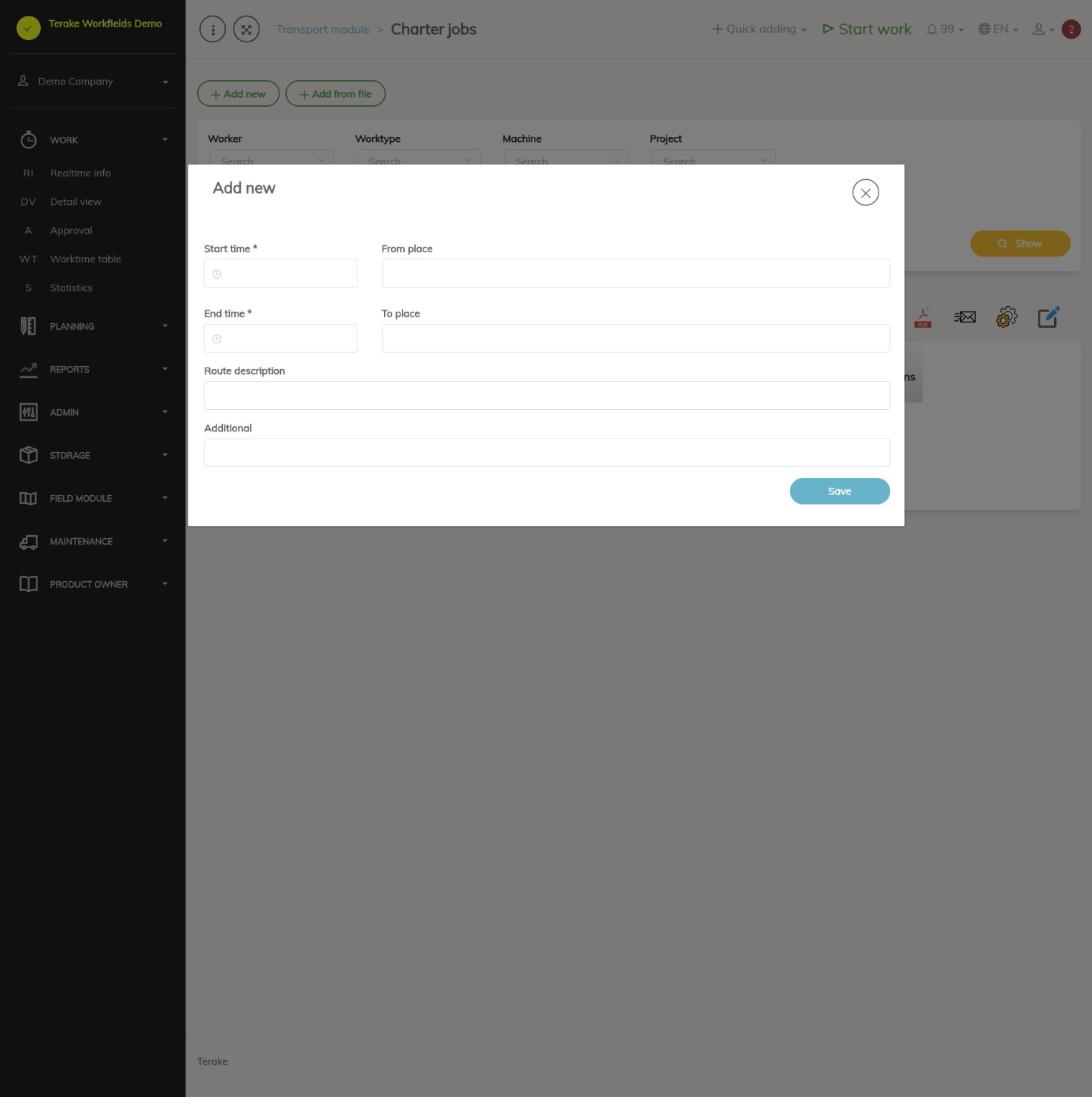
- Press “Add new”.
- Fill in the fields:
- Start time and End time (required): the date and time of the trip.
- From where and Destination (required): where the trip starts and ends, as free text.
- Route description: the way or the stops.
- Additional: other information about the trip.
- Press “Save”.
How to change or delete a charter job
- Select a period that includes the trip and press “Show”.
- To change it, press the row’s pencil button, correct the fields and save.
- To delete it, press the row’s bin button.
How to add a charter job to a journey form
- On the page Journey forms, open a saved journey form.
- In the section “Add journey form row”, press the button “Charter trip”.
- Enter the row’s “Start time” and “End time” and select the “Charter job”. The charter jobs are offered as “origin->destination (start -> end)”.
- Press “Add”.
Only charter jobs that are not yet on any journey form row are offered. A charter job already added to a row cannot be selected a second time.
Who can see and change it
The transport module is shown to a passenger transport company, and there only to the role “Administrator”, who can add, change and delete charter jobs.
Tips
- If you do not see a charter job in the list, check the period: the trip must both start and end within the selected period.
- The module as a whole is described on the page Transport module.
API calls on this page
For integrations and AI assistants: this page uses the following Terake API calls. The full description is in the API reference.
When the page opens:
GET /api/charter_jobs– CharterJob collection
Adding, changing and deleting (from the API description):
DELETE /api/charter_jobs/{id}– Delete CharterJobPOST /api/charter_jobs– Create CharterJobPUT /api/charter_jobs/{id}– Modify CharterJob
Other calls from this screen’s dialogs and actions (from the web client’s code):
GET /api/charter_jobs/{id}– Get CharterJob